Invoicing software for freelancers and small businesses
Quote it. Sign it.Invoice it. Get paid
knock.knock.
01Quote
Accepted
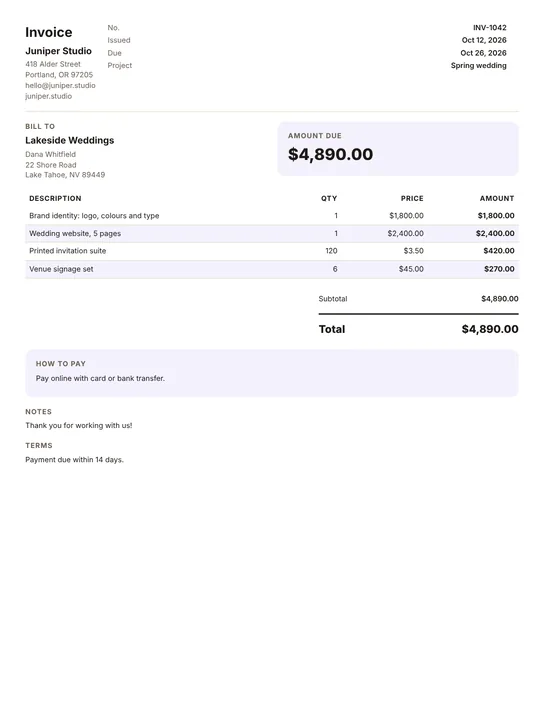
Lakeside Weddings · $4,890.00
02Agreement
Signed online
Dana Whitfield, 10:14
03Invoice
Sent
INV-1042 · $3,423.00 due
04Reminder
Reply understood
“Sorry! We’ll pay on the 29th.”
05PaymentPaid
Paid in full
$3,423.00 by bank transfer
Send a quote, get the agreement signed online, and turn it into an invoice your client can pay by card, bank or PayPal. If they’re late, Babara follows up politely, so you don’t have to.
No accounting software needed. Works with invoices from Word, Google Docs, Canva or any PDF.
Written to sound human. Because you are.01 invoice. Less on your mind.
A little persistence, in your inboxSample email / 03
FromMaya Design CoSubjectDid invoice #1042 slip through the cracks?
Hi Alex,
Inboxes get busy, so I wanted to gently float invoice #1042 for $1,250 back to the top. It was due three days ago. Could you take a look when you get a moment?
Written to sound human. Because you are.01 invoice. Less on your mind.
A little persistence, in your inboxSample email / 06
FromMaya Design CoSubjectFinal reminder for invoice #1042
Hi Alex,
This is a final reminder that invoice #1042 for $1,250 remains unpaid, 21 days after the due date. Please arrange payment or get in touch to resolve this.
Written to sound human. Because you are.01 invoice. Less on your mind.
9:30 in your timezone · At least 48 hours between reminders · Warm, balanced or firm
Follow-up that listens
A reply changes the plan
No blindly chasing someone who already replied.
“We can pay on Friday.”
Waiting until Friday
A clear payment promise changes the schedule. Babara waits for the promised date and checks in the day after.
“I have a question.”
Paused for your attention
Questions and uncertain replies come to you, attachments included. Reminders pause while you sort things out with your client.
“All paid. Thank you!”
Confirm it. Close the loop.
Check the payment, then mark the invoice paid. Reminders stop and Babara can send a thank-you email. A client’s message never marks an invoice paid automatically.
No tracking pixelsYour payment link. Your money.Your client relationships.
The client pay page
One page. A clear next step
Clients answer in one click. Babara does the rest. Every reminder links to a clean page with your invoice and a button for every answer. It turns silence into a clear next step, and tells Babara exactly what to do next.
01
Pay now
Card, US bank (ACH) or PayPal, straight into your own Stripe or PayPal. Or your bank details.
The invoice marks itself paid
02
I’ll pay on…
Client picks a date. No back-and-forth email.
Babara waits, then checks in the day after
03
I’ve already paid
For transfers still in flight.
Babara pauses and asks you to confirm
04
A question, or something’s needed
Wrong amount? Their accounts team needs a PO number, a W-9 or a supplier form first?
Babara pauses and tells you exactly what’s needed
What your client sees, with a sample invoice.
Everything included
Small tool. Serious follow-through
The little book of less chasing
The Babara handbookB.
01
Before the work starts
Quoted.
Signed.
Sent
From the first price to the last page, in one place.
babara01
Consider it handled.01 / 04
01Quotes with deposits
Saved items, a deposit to book. Clients accept online by typing their name.
02Agreements, signed
Write one or upload your PDF. Signed online before they accept or pay.
03Five invoice templates
Your logo and colour. One click from the quote, deposit already taken off.
—02
The Babara handbookB.
02
Before the first nudge
Your name.
Your rules
A little persistence. With your signature on it.
babara03
Consider it handled.02 / 04
04Tone you control
Warm, balanced or firm, per invoice. Every email previewable.
05Timezone-smart
Emails land at 9:30 your time, never at 3 a.m.
06No spy pixels
Nothing tracks your clients’ inboxes. Babara only acts on what they choose to do.
—04
The Babara handbookB.
03
While the conversation unfolds
Good timing.
Better manners
Knowing when to follow up. And when to wait.
babara05
Consider it handled.03 / 04
07Smart pausing
Stops the moment a client pays or asks. Reads “we’ll pay Friday” in any language and waits.
08Instant alerts
An email the second a client promises a date, asks a question or needs a PO number or W-9 before paying.
09Thank-you notes
Paid by bank transfer? Tap “Mark it paid” in any Babara email and Babara says thanks.
—06
The Babara handbookB.
04
When it’s time to pay
Your money.
Straight to you
However your clients pay, it stays between you.
babara07
Consider it handled.04 / 04
10Card, ACH or PayPal
Clients pay into your own Stripe or PayPal. Babara takes 0%.
11Cash Radar (Pro)
A 4-week forecast of when your open invoices will be paid.
12Late-payment interest
UK, EU, Germany, France and Netherlands rules, worked out and mentioned politely.
—08
Pick a chapter. Turn a page.
One less thing on your desk
Small price. Less admin
Costs less than one late invoice Start free. Upgrade when Babara has earned it.
INVOICES & FOLLOW-UPPLAN / 01
A little help
Starter
For trying Babara on your trickiest clients.
$0/ month
€0/ month
£0/ month
$0/ month
€0/ month
£0/ month
Make invoices and quotes, email 5 a day
Paid online at 0% Babara fee
3 invoices chased at a time (+1 per friend you invite)
Full 6-step reminder plan
Client pay page with 1-click replies
Reads replies and waits for promised dates
Reminders in English, German or French, plus 5 languages translated by AI
Prices plus local taxes where applicable. Payments handled by Paddle, our Merchant of Record, which charges in your country’s currency. 14-day money-back guarantee.
Before you start
Good questions
What is Babara?
Babara is invoicing and invoice chasing in one place for freelancers, studios and small agencies. Make invoices and quotes with your logo, get agreements signed online, let clients pay by card, bank or PayPal, and Babara chases anything late: friendly, escalating reminders and a one-click page to pay, promise a payment date, or ask a question.
Can I make quotes and invoices in Babara?
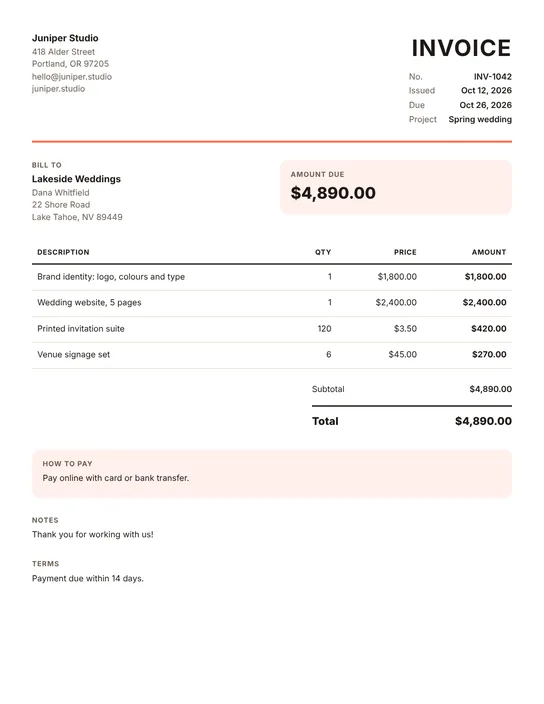
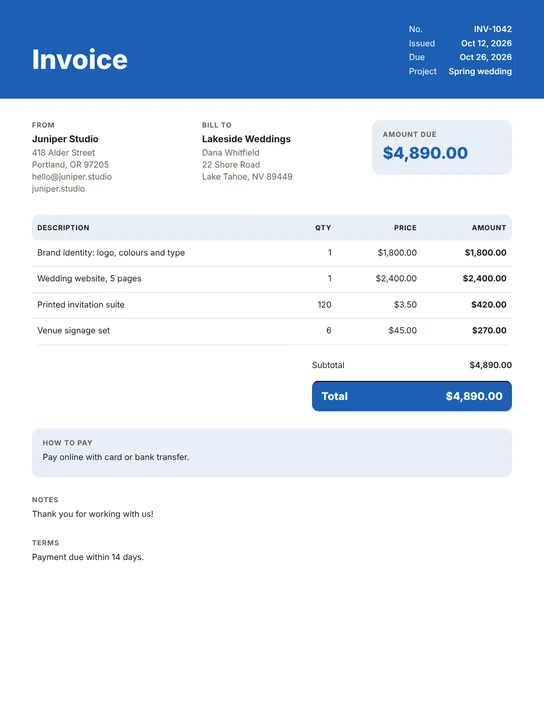
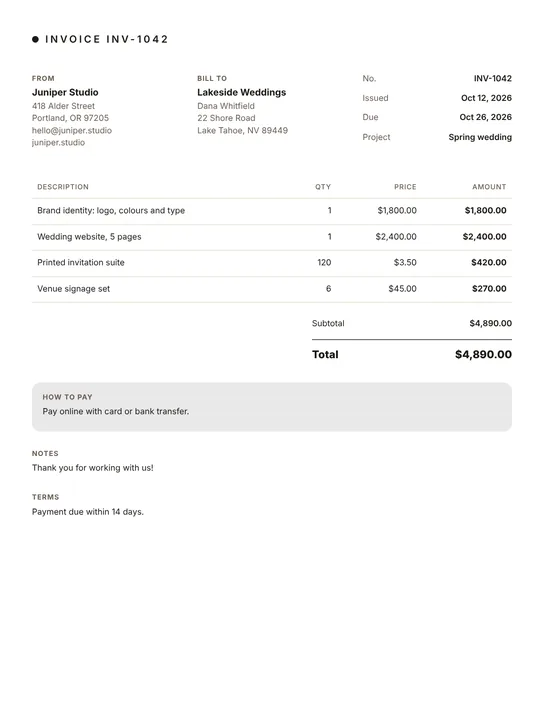
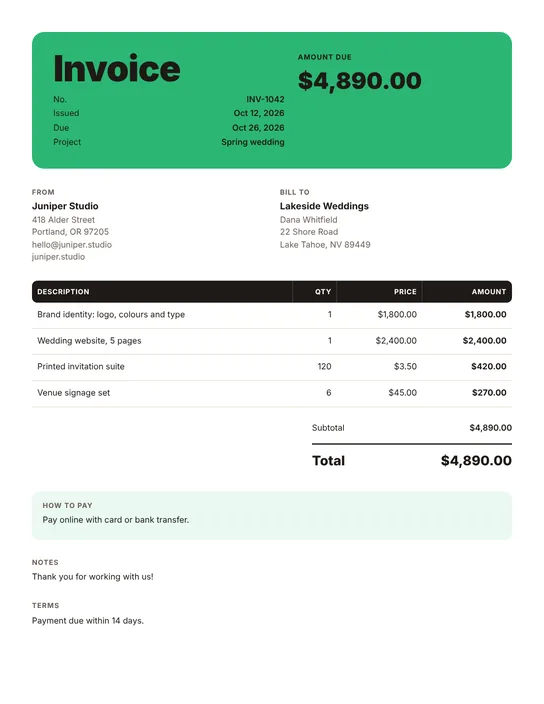
Yes. Build quotes and invoices with your logo and brand colour in one of five templates, with saved items, taxes, discounts and custom fields. They come out as PDFs on US Letter or A4. An accepted quote turns into an invoice in one click, with any deposit already taken off.
Can clients sign an agreement online?
Yes, on Solo and Pro. Write an agreement from a starter or upload your own PDF, attach it to a quote or invoice, and your client signs online before they accept or pay. You keep the signed PDF. Solo includes 5 signatures a month and Pro 15; after that, extra packs are 10 signatures for $5 and never expire.
How do my clients pay?
By card, US bank transfer (ACH) or PayPal, through your own Stripe or PayPal account, so the money goes straight to you. Babara adds 0% on top of their fees, and the invoice is marked paid when the payment lands. You can also show your bank details or your own payment link.
Is there a free invoice generator?
Yes. The invoice generator at babara.app/tools/invoice-generator makes a PDF invoice without an account, and nothing you type is stored. If you sign up afterwards, the invoice can come with you.
Do I have to connect my accounting software?
No. Make your invoices in Babara, or keep your current tool and add the invoice number, amount, due date and your client’s email in about 30 seconds. Connect your own Stripe or PayPal for online payments, or paste your usual payment link or bank details.
Will the emails sound robotic or rude?
No. You choose a tone (warm, balanced or firm) and Babara writes short, human emails that escalate in clarity, never in rudeness. You can preview every email before it goes out.
Can my client pay, pick a date or ask a question without writing an email?
Yes. Every reminder links to a private pay page where your client can pay, promise a date or ask a question in one tap. Babara pauses when they say they’ve paid or ask something, and waits until their promised date before checking in.
Does Babara take a cut of my payments?
Never. Clients pay you directly: through your own Stripe or PayPal account (Babara adds 0% on top of their fees), your payment link or your bank details. You only pay for your Babara plan.
Can I pause my plan in a quiet season?
Yes. Pause Solo or Pro for 1, 2, 3 or 6 months from Plan & billing. You aren’t charged while it’s paused, everything you made stays, and it restarts by itself (or resume any time).
What happens when my client replies to a reminder?
Babara reads the reply and forwards it to you, attachments included. If your client gives a pay date, like “by next Friday”, “Ende des Monats” or “le 15”, Babara waits until then and checks in the day after. Uncertain replies pause reminders for your review, and you can correct Babara’s interpretation in one tap. If they say they’ve paid, Babara asks you to confirm; an invoice is never marked paid automatically. Automatic out-of-office replies are noted without pausing anything.
Can I add invoices by email?
Yes. Babara gives you a private address. BCC it when you email an invoice to a client, and Babara reads the PDF or Word file, saves a draft invoice and emails you a one-tap “Start chasing”. Your client never sees Babara. If you invoice a client every month, Babara can start the invoice by itself and tell you when one hasn’t shown up. Files you email to Babara are read in memory to create a draft, then dropped. We never store them.
Can Babara read my invoice PDF or Word file?
Drop a PDF or Word (.docx) invoice on the New invoice page and the form fills itself: number, amount, currency, dates and client. Files up to 5 MB. A PDF that carries an e-invoice (ZUGFeRD, Factur-X) is read exactly. Nothing is saved or chased until you press Save, and anything the AI filled is marked so you can check it. Your file stays on your device. If our rules miss something, a short piece of its text is read by our AI provider (Cloudflare) to fill the form, and it isn’t stored.
Consider the awkward part handled
Good work deserves payment
Quote it, sign it, invoice it, get paid. Babara handles the follow-up.